 Auto
Auto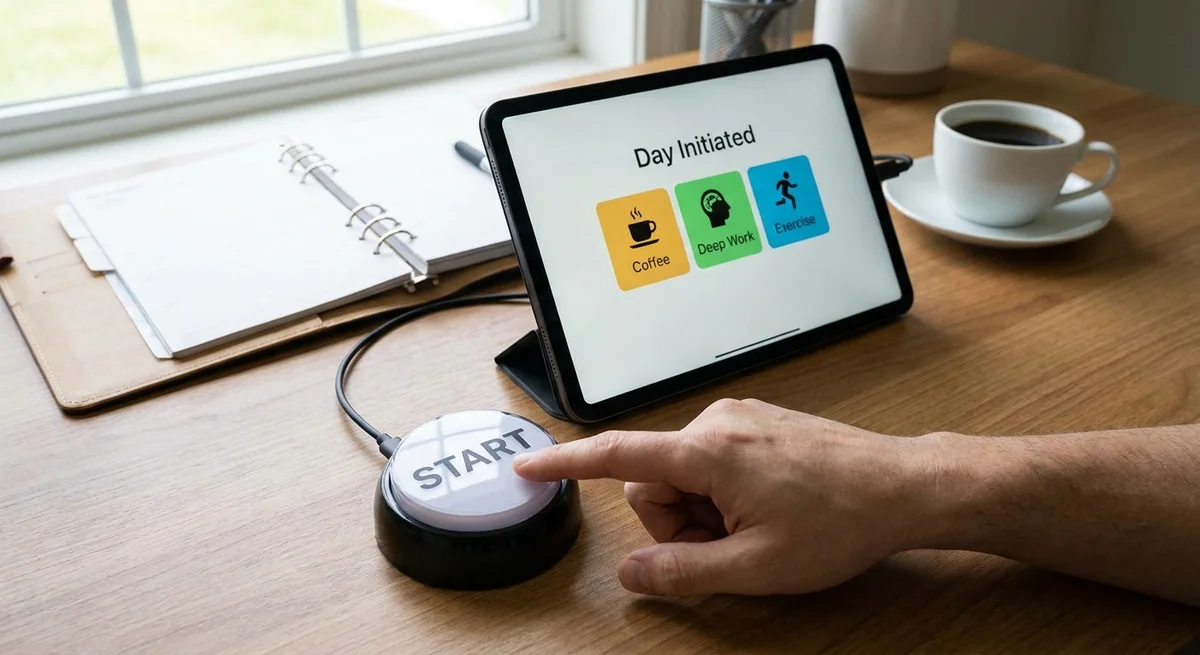
Understanding ADHD Planning Challenges
People with Attention Deficit Hyperactivity Disorder (ADHD) often find task planning and starting work overwhelming. They might write huge to-do lists but then struggle to actually do anything on that list. For example, a PsychCentral ADHD guide notes that many adults with ADHD “might find themselves creating large to-do lists but having a hard time following through on any of those tasks.” (psychcentral.com). This isn’t laziness – it’s a brain difference. ADHD affects the brain’s executive functions like planning, working memory and time perception. One study found that ADHD-related working memory problems make it “extraordinarily difficult” to consistently anticipate, plan, and carry out goal-directed actions (pmc.ncbi.nlm.nih.gov). In short, juggling many tasks in your head can be nearly impossible.
Another core issue is time blindness. Research explains that people with ADHD often cannot sense time passing internally. Time can feel “amorphous” or undefined, making deadlines or appointments slip by unnoticed (psychcentral.com). In practice, this means our inner clock isn’t reliable – we don’t know if 5 minutes or an hour has passed. Without an accurate internal clock, it’s very hard to judge how long tasks take or when to switch tasks. One overview of ADHD finds those with the condition consistently misjudge task durations and lose track of time (psychcentral.com).
Because of these challenges, the usual productivity advice to “make a list and knock it out” often fails. Heavy planning systems (like complex apps or rigid schedules) demand too much from working memory and decision-making. In fact, an ADHD guide points out that a conventional to-do list “does not create clarity; it creates pressure.” The list just grows longer, making even the simplest next step feel out of reach (sachscenter.com). In practice, many people with ADHD abandon big apps or detailed planners because they require too many steps to set up and maintain. The moment real life interferes, these systems collapse.
The key is external structure and simple cues, not more complexity. As one ADHD scheduling guide explains, a person with ADHD typically “can’t always generate [their] own urgency, initiation, or sequencing” in the brain, so good strategies “manufacture those things from outside.” (neurolaunch.com). In other words, we must hand off planning and prompting to tools or routines. Dr. Russell Barkley, a leading ADHD researcher, calls this “external scaffolding.” He suggests designing our environment to carry some of the load of planning and timing (myadhdtips.com). In short, we need to make decisions in advance and set up strong reminders so our ADHD brain doesn’t have to create them on the fly.
ADHD-Friendly Planning Strategies
Given these insights, what actually helps sidestep overwhelm? Research and experts point to a few evidence-based tactics:
-
Limit the daily task list. Instead of a long list of 20 things, pick just a few (for example, 3) key tasks for the day. Tools built for ADHD often call this a “Top 3” list. By seeing only a handful of priorities, the brain doesn’t get paralyzed by choices (quietladder.com). (For example, the QuietLadder ADHD planner highlights a daily “Top 3,” noting, “Only a few priorities stay visible,” which prevents overwhelm (quietladder.com).) Limiting tasks reduces decision fatigue and keeps the mind focused on what really matters.
-
Time-block each task. Assign a specific time slot for each task rather than leaving them open-ended. Time-blocking creates a plan on your calendar so you don’t have to decide on the spot what to do next. One expert resource says a vague to-do list “offers no guidance” and causes paralysis – scheduling tasks into fixed blocks “sidesteps that by making the decision in advance.” (neurolaunch.com) For example, if you decide at 9:00 AM you will work on Email for 30 minutes, then at 9:00 the question “What now?” is already answered. Time-blocking turns an open list into a clear schedule.
-
Use short, timed focus sessions. A popular method is the Pomodoro Technique: work 25 minutes, then take a 5-minute break, repeating in cycles. The fixed short timer provides two ADHD-friendly features: First, the 25-minute “deadline” lowers the barrier to start a task because you only have to focus for a short, clear burst. Second, the scheduled break keeps your brain refreshed. As one guide notes, the Pomodoro’s “fixed end point (‘only 25 minutes’) lowers the initiation barrier” for ADHD brains (neurolaunch.com). In other words, committing to work 25 minutes instead of “until it gets done” is much easier to start.
-
Visual timers and reminders. Because of time blindness, it helps to make time visible. A visual timer (like those with a disappearing pie chart or countdown bar) shows the passage of time clearly. Experts recommend analog countdown timers where a colored section shrinks as time goes by (psychcentral.com). Seeing time run out helps the brain grasp the moment. It also signals when to take breaks or switch tasks, reinforcing your schedule. Similarly, using smartphone or computer reminders at task start times gives an external cue to begin.
-
Nudge or “Body Double” support. Having another person present (even virtually) can magically boost focus. This is called body doubling. ADHD coaches and even medical sources note that working alongside someone—especially someone who isn’t even interacting much—can dramatically improve task initiation and completion (neurolaunch.com) (health.clevelandclinic.org). The other person’s presence provides accountability and makes it harder to drift away from the task. If no coworker is available, some people turn on calm work livestreams or join virtual coworking groups. The key is an external nudge that makes you feel seen as you start your work.
-
Start with one tiny step. Often people with ADHD fail to start because a big task feels too large or messy. A useful trick is to shrink the starting step to under a minute. For example, if “write report” feels huge, make the first step “open document and write the title.” Even that small action breaks the ice. Life coach Chris Hanson points out that focusing on the most essential 20% of tasks can yield 80% of your results (lifeskillsadvocate.com). In practice, you might choose one “must-do” task and grab a quick win first before tackling anything else.
Heavy Tools vs. Low-Friction Aids
Many standard productivity systems are simply too rigid or complex for ADHD brains. Detailed databases, multi-step checklists, or heavyweight apps (like dense project-managers) often require a lot of maintenance. ADHD users may start them eagerly, but soon the effort to keep them updated outweighs the benefit. As one ADHD resource explains, these tools were usually “designed for a different kind of brain” (sachscenter.com) and tend to collapse at the same weak points (lots of categories, color codes, recurring reviews). They can end up adding “friction” – extra mental load – instead of reducing it.
In contrast, low-friction tools that people with ADHD actually use tend to be very simple. Examples include single-page paper calendars, a set of sticky notes, or phone reminders. They often serve as external memory aids that gently prompt you without requiring constant tweaking. For instance, moving tasks into tomorrow’s calendar events, setting a timer with one tap, or jotting a quick note can be enough to keep you moving. The goal is to lower the entry barrier: the fewer clicks, colors, or choices, the better. An effective approach is one that “reduces friction, makes decisions smaller, and gives your attention somewhere concrete to land.” (sachscenter.com) for ADHD.
A Minimal “One-Button” Workflow
Based on these ideas, we can imagine a simple daily workflow that cuts stress to the bone:
-
Generate a 3-Task Shortlist. Each morning (or the night before), pick just three important tasks for today. These could come from your calendar events, deadlines, or key reminders. For example, the app might scan your calendar and reminders and suggest “Top 3” tasks automatically: perhaps the next meeting prep, a health chore, and a work deliverable. Limiting to three prevents overwhelm.
-
Time-Block Each Task. Next, assign each of those tasks a realistic time slot on your calendar. The app could propose blocks (e.g. 45 minutes for Task 1, then a break, 45 minutes for Task 2, etc.). This planning step means you won’t wonder “What should I do next?” during the day – it’s already decided.
-
Press the Start Button. Finally, press one button to begin. Immediately, a timer starts for your first task (say, a 45-minute focus session). At the end of that timer, you take a short break (5–10 minutes), then automatically begin the second task’s block. In effect, one tap launches a chain: it confirms the plan and kick-starts a timed Pomodoro-style session. Cue a friendly alert or sound to nudge you at each transition.
In other words, this “one-button” tool offloads the planning and prompting into a single simple action. You don’t have to look at a long list, open multiple apps, or decide a next step in the moment. Everything is generated and queued for you. The fixed, timed segments make starting feel manageable (it’s “only 30 minutes” until a break), and the automation makes sure you actually begin. This approach aligns well with ADHD needs: it externalizes decisions, caps the duration, and provides that nudge to launch each task.
Many ADHD experts emphasize the power of external cues and simplicity. Neurolaunch, an ADHD coaching site, summarizes research by saying that strategies with strong evidence “reduce the demand on internal self-regulation by creating external structure” (neurolaunch.com). The proposed one-button planner does exactly that: it creates structure (short tasks at set times) and triggers action without requiring willpower. As one ADHD coach notes, routines for ADHD brains work best when they include “short feedback loops” and built-in novelty (neurolaunch.com). A quick focus timer and prompt every 30–60 minutes fits that advice.
Conclusion
Adults with ADHD can successfully manage their day when planning tools match how their brains work. The trick is small, clear plans with built-in prompts. Instead of overwhelming long lists or complex systems, use a minimal routine: pick a few priority tasks, schedule them in short blocks, and start at time zero with a timer. This setup creates external scaffolding – a ready-made plan and a go-signal – that sidesteps internal gridlock (neurolaunch.com) (myadhdtips.com).
By pressing one button each morning, you could have a calm list of three tasks and a ticking clock ready to begin. That single press would generate the day’s priorities and launch a focus session, removing almost all the friction between “I need to do this” and “I’m doing it now.” In practice, such a tool or habit could turn an overwhelming morning into a gentle, structured start – exactly what many ADHD brains need to thrive.