 Auto
Auto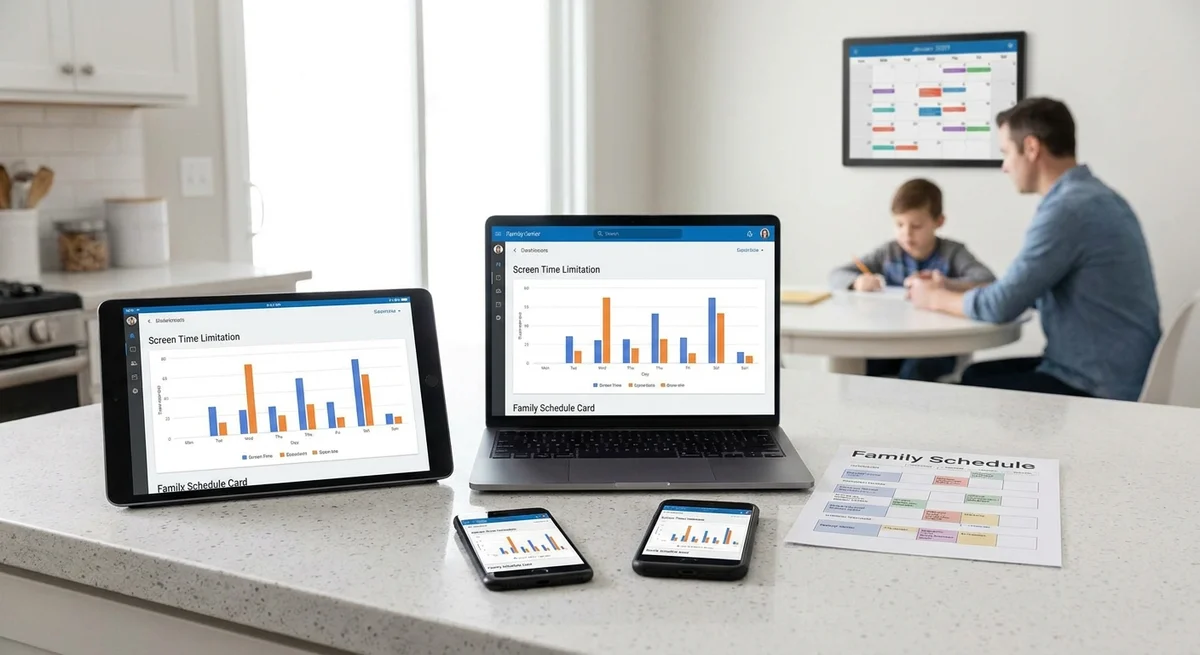
Unified Screen-Time Rules for Mixed Devices
Parents today juggle smartphones, tablets, PCs, and game consoles in their homes. Many report frustration that each device has its own settings. Apple’s iPhones and iPads use Screen Time, Android phones use Google Family Link, Windows PCs and Xbox consoles use Microsoft Family Safety, and game consoles like PlayStation or Nintendo have their own controls (www.techradar.com) (www.techradar.com). In practice, this means setting up rules on four or five different apps. That makes it easy for kids to slip through loopholes. As one tech columnist puts it, young people “will always find a workaround” around isolated blocks (www.androidcentral.com). In short, families need consistent rules that work across all devices.
Parents’ Wish-List: Consistent Screen-Time Rules
Despite the many devices, parents often want the same basic rules for all of them. Common requests include:
- Bedtime Limits – e.g. no screens after a certain hour. For instance, Apple’s Screen Time lets parents schedule a Downtime when only calls are allowed (www.techradar.com).
- Category Limits – e.g. stricter rules for games or social media, more freedom for learning. Google’s Family Link allows parents to set a limit on “gaming apps” while giving extra time for “learning apps” (www.techradar.com).
- Educational Exceptions – allow some apps (like homework or reading apps) when other screen use is blocked. For example, one control app even labels school or math apps as “encouraged apps” that don’t count against daily limits (www.techradar.com).
These rules reflect common parenting goals: get kids off screens at night for better sleep, keep fun apps in check, but let them use tablets or PCs for schoolwork. Researchers and child experts note that a balanced approach – not a total ban – is healthiest (www.androidcentral.com). In practice, parents want one schedule and one set of exceptions that apply on every device their child uses.
Platform Tools Today: Fragmented Controls
Each platform already offers parental tools, but none span all devices. Key built-in tools are:
- Apple Screen Time (iPhone, iPad, Mac) – lets parents set app and category time limits, and schedule Downtime (e.g. quiet hours) (www.techradar.com).
- Google Family Link (Android phones/tablets) – lets parents set app limits and device bedtime. It even supports different limits for game apps vs. educational apps (www.techradar.com).
- Microsoft Family Safety (Windows PCs, Xbox, Android) – lets parents set time limits by device or game console (www.techradar.com).
- PlayStation Family App (iOS/Android mobile app) – Sony’s tool for PS4/PS5, letting parents set playtime schedules and block games (www.techradar.com).
- Nintendo Switch Parental Controls – a mobile app to set playtime and content ratings on Switch consoles (launched as of 2018, not cited here).
Each of these works well within its own ecosystem (www.techradar.com). For example, a TechRadar review noted that if a family “leans toward Apple” they should use Screen Time, while Android families use Family Link, and PC/Xbox families use Family Safety (www.techradar.com). The problem is families often lean toward all of the above, meaning mom must log into multiple apps to enforce rules.
Third-party apps have tried to help but face similar limits. A review of the Boomerang app points out “vast differences” between Android and iOS versions (www.techradar.com). On Android it can block apps, set timers, schedule usage and even block unfiltered browsers, but on iPhones it cannot do these things – it only offers a basic “time-out” option (www.techradar.com). In other words, one tool’s strong features on Android vanish on iOS (www.techradar.com).
Because of this fragmentation, parents often end up manually repeating the same rules in each app. In the end, a child might be locked out of their iPad for the night but simply pick up a gaming console or Android tablet, since the Xbox and Fire tablet settings weren’t synchronized. As AndroidCentral warns, kids will “thwart outright bans” and bypass blocks if guides are inconsistent (www.androidcentral.com).
Gaps and Workarounds
This fragmentation causes loopholes. A child thwarting one device’s lock can switch to another. One columnist shares that many students bypassed school Wi-Fi blocks by using VPNs on their iPads (www.androidcentral.com). At home, a working solution should stop this. But with separate rules on each machine, kids can mix and match where they do their gaming or browsing.
Another issue is complexity: tech-savvy parents complain on forums that managing three or more apps is confusing. Some even give up or set all rules in one calculator, then only half-remember to replicate them elsewhere. This leads to inconsistent enforcement, which can frustrate both parents and kids.
In short, built-in tools and add-ons are useful but too fragmented. The native tools each enforce only local rules, and no single app ties them together. Kids naturally “find a workaround” by hopping devices (www.androidcentral.com).
A Unified Solution: One Rule Set for All Devices
What if parents could set rules once, and they applied everywhere? Imagine a service or app called “UnifiedScreenTime” that does this. The parent logs into one dashboard and sets:
- Bedtime hours (lights out at 9pm).
- Time limits for game apps, social media, etc.
- Which apps or sites are education/homework and always allowed.
Once saved, those rules would automatically roll out to every device the child uses. How? By using a combination of network-based enforcement and tiny device agents:
- DNS filtering: The home Wi-Fi router (or the family’s DNS server) blocks or allows websites and categories based on the time. For example, after 9pm the DNS could block game-related domains (or switch to a “locked” page). This catches any device on the network, even guest devices, and doesn’t depend on the OS.
- Lightweight agents: For when the child’s device is off the home Wi-Fi (for example, if they’re on a friend’s hotspot or cellular data), a small app or background service on the device enforces the same rules. It might lock the screen or pause apps when time’s up, just like Screen Time does. (On iPhones this might use the built-in Screen Time APIs; on Android or Windows it could be a small service.)
Because both methods use the same cloud-synced rule set, all devices stay in sync. If a parent changes bedtime in the dashboard, the DNS and agent update immediately. This means a rule like “games off at 9pm every night” is enforced on the phone, the tablet, the PC, and even the game console (via DNS blocking or console app).
This unified approach solves the hopping-problem: a blocked iPad and a blocked Xbox now share the same lockout time. It also fits the experts’ advice for flexibility. Recent studies find teens use social media and video for learning, so outright bans are counterproductive (www.androidcentral.com) (www.androidcentral.com). Instead, they want guardrails – rules that are smart and consistent. Our proposed product would give parents that: a single rule set with age-appropriate limits that never unfairly cuts off educational use (www.androidcentral.com) (www.techradar.com).
Implementation Ideas for Entrepreneurs
- Central Dashboard: Develop a cloud service with a simple web or app interface where parents create rules for times and app categories.
- Router/DNS Integration: Use an existing DNS-based filter (like OpenDNS or Cisco Umbrella style tech) or work with home router APIs. Offer a DNS server IP parents can set on their router to activate filtering.
- Device Agents: Build small cross-platform apps. On Android, Windows, macOS these can actively monitor the time; on iOS they may use configuration profiles or the Screen Time API to enforce limits. Even minimal apps can trigger a lock screen or block certain apps once the DNS indicates rules are active.
- School/Remote Mode: Allow “school hours” mode where educational sites are prioritized, replicating how Google’s study found students need continued access to learning videos (www.androidcentral.com).
- Notifications: When time is up, send alerts or impose breaks. Let parents add exceptions on the fly.
By unifying the logic in one place, entrepreneurs can avoid the current pitfalls. Instead of copying rules into three separate apps, parents do it once. The result is consistent screen-time management.
Conclusion
In today’s multidevice homes, parents need one set of screen-time rules that works everywhere. Current tools from Apple, Google, Microsoft, Sony, etc. each cover only their own gadgets (www.techradar.com) (www.techradar.com). This forces parents to constantly switch between apps, and children often sidestep the rules (www.androidcentral.com).
A unified system would fill this gap. Researchers emphasize giving kids “clear, age-appropriate guardrails” rather than bans (www.androidcentral.com). Our one-rule-set concept does just that: bedtime limits, category limits, and learning exceptions applied globally. Implementing it with DNS filtering and device agents would ensure consistent enforcement.
Entrepreneurs who build this will be solving a real pain point. The idea is straightforward: define the family’s rules once, and let technology handle the rest. With mobile and network APIs available today, such a product is within reach. It promises an easier life for parents, safer habits for kids, and a strong market for innovators in family tech.